
Worked example: Goodsvero to HipoBuy
Follow this existing catalog product. Goodsvero shows six style thumbnails and sizes S/M/L/XL/XXL/XXXL.
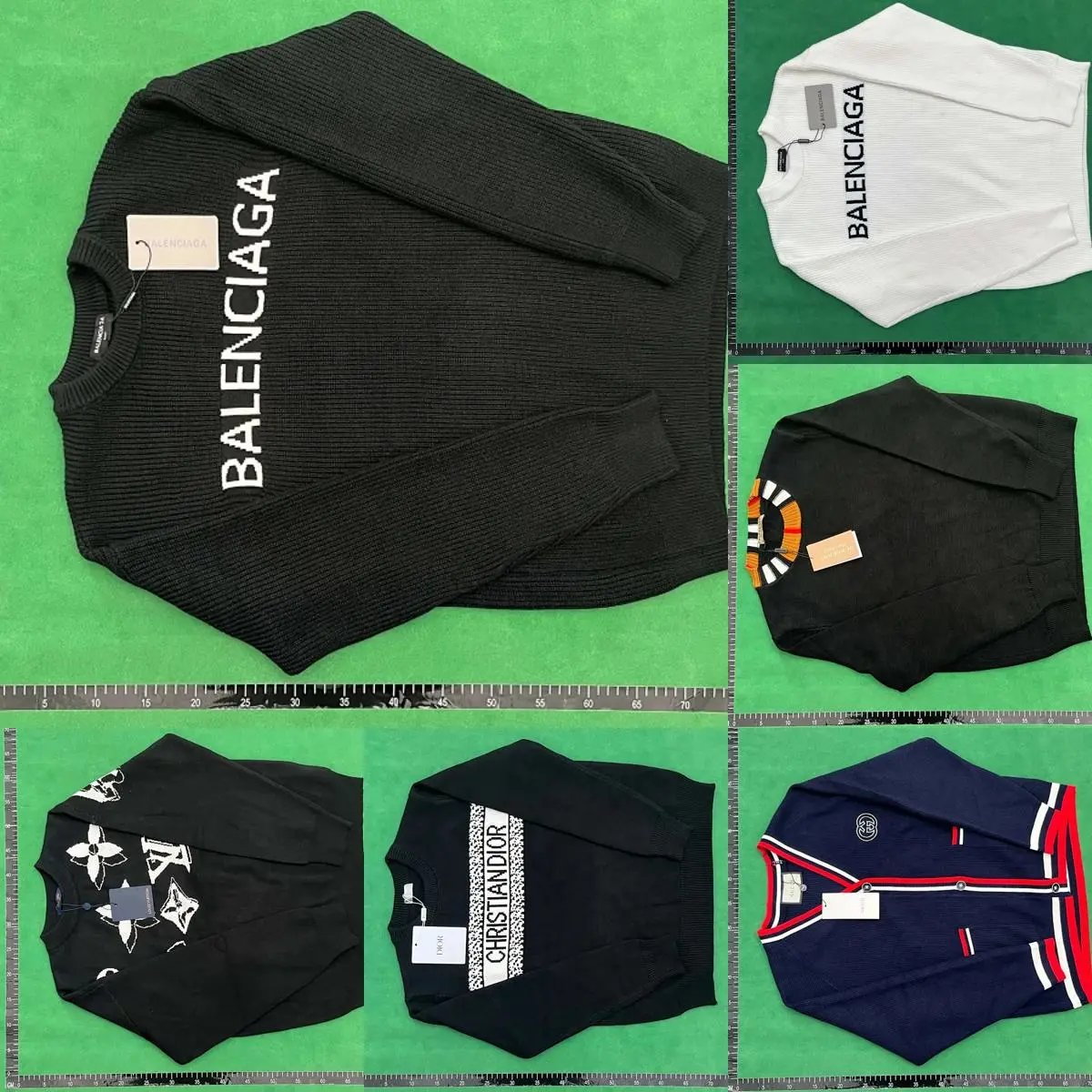
Unbranded Crewneck knit sweaters with assorted logo designs
- Original item ID
7809494957- Saved USD reference
- $23.24
- Catalog check
- November 24, 2026
https://weidian.com/item.html?itemID=7809494957Find the source button
Open this Goodsvero product and find “Original Product” beside the title.
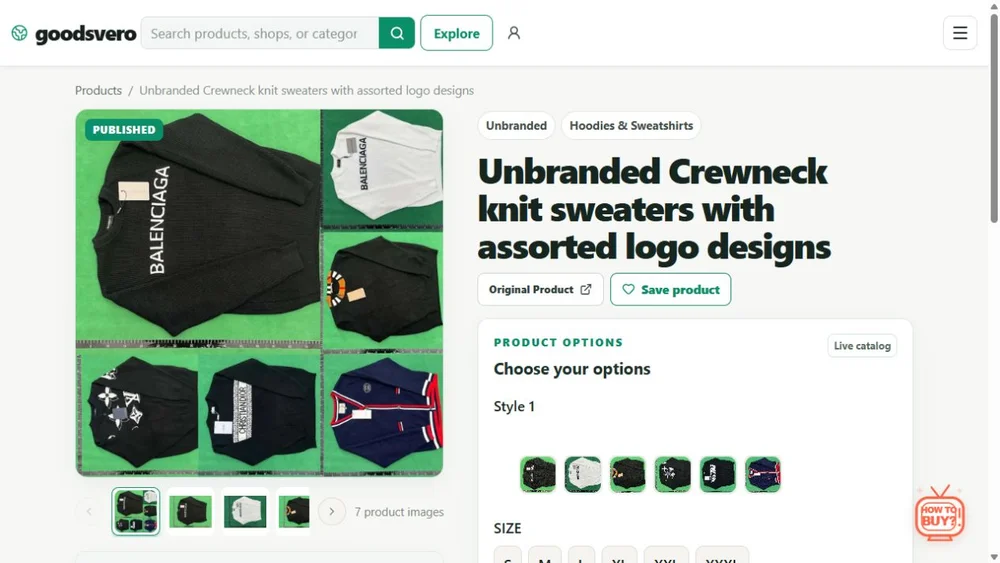
Goodsvero page captured on 2026-11-25, showing the real “Original Product” button. It does not confirm current prices or stock. Copy the original link
Right-click “Original Product” and choose “Copy link address”, or open it and copy the address. Keep the original URL with itemID=7809494957, not the Goodsvero URL.
Search the link in HipoBuy
Paste the original URL into hipobuy.com’s product-link search; click “Search”. Switch to any new tab, log in as prompted and reload the link. Close any interfering promotion popup and retry, or use the verified HipoBuy product link below.
Compare before selecting
If the product loads, check the source and design photo before choosing matching colour/style and size. Read the current price and China domestic shipping.
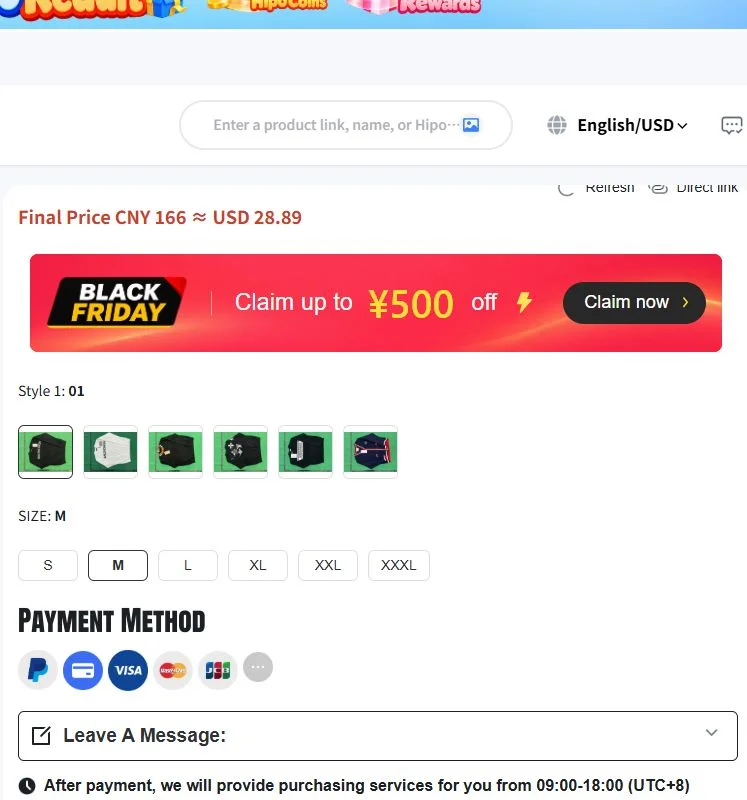
Read-only HipoBuy check captured on 2026-11-25. The pictured price and stock record that moment and do not confirm current quotes or availability.
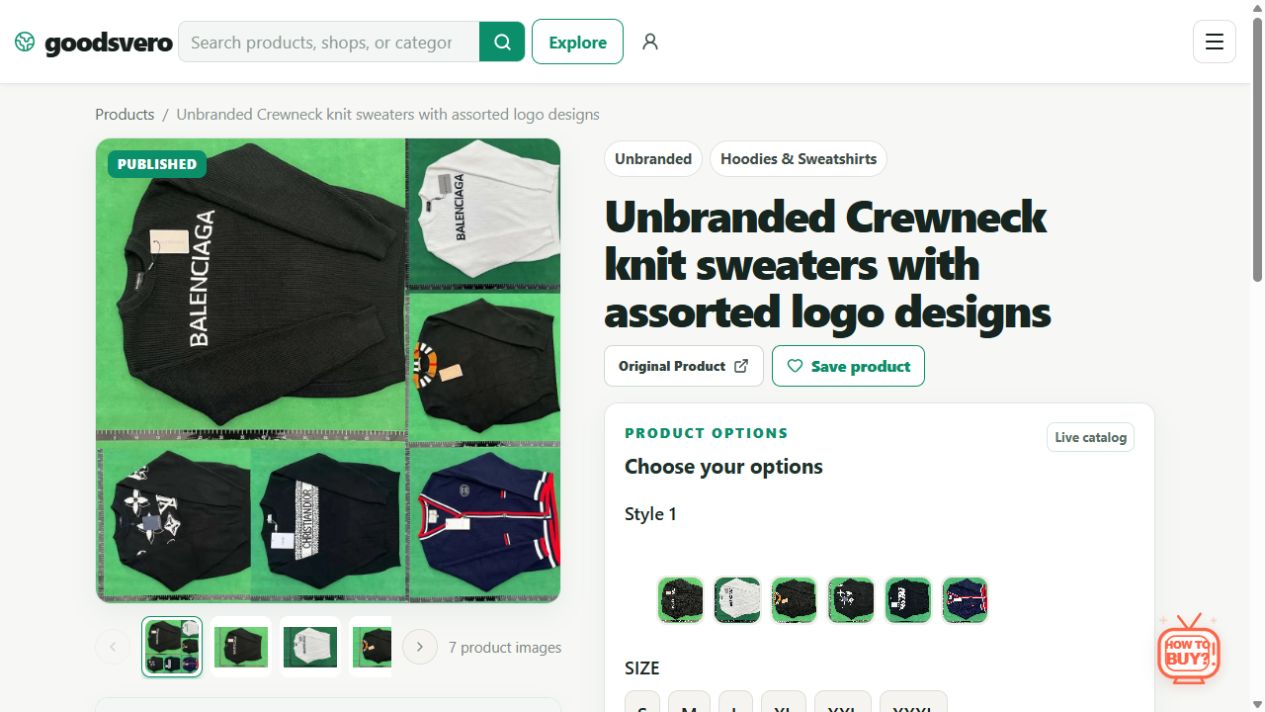
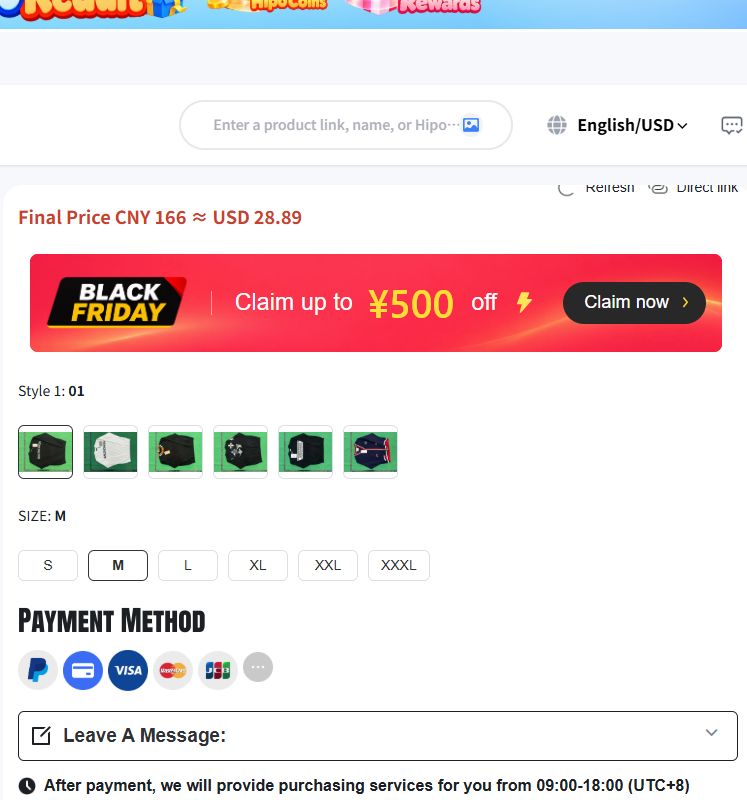
Practise with the first style photo, 01, and M; this is not a fit recommendation. Compare measurements and confirm the corresponding options before continuing.
Check before deciding
- Source item and seller
Match itemID=7809494957 and the seller with the source listing.
- Colour and style
Compare the actual design photo and corresponding option.
- Size and measurements
Compare the seller’s chart and measurements; M is a practice choice.
- Current price and currency
Read “Final Price” in CNY and its approximate foreign-currency equivalent; neither is the delivered total.
- Quantity and stock
Check quantity and availability for your option.
- China domestic shipping
Check seller-to-warehouse charges in China; international shipping is separate.
On 2026-11-25, we checked the same itemID and option page without ordering or paying. The catalog’s saved USD reference is not HipoBuy’s live price. Stock and quotes can change; confirm unavailable or restricted options with HipoBuy.
After confirming the options, decide whether to purchase. Warehouse QC after arrival and international shipping charges remain separate, later stages.
Start with one useful search
Start with the featured product leads in the HipoBuy spreadsheet. A row can help you discover an item, but it cannot confirm its current price, stock or fit. The useful next step is to identify the original listing and the exact option you want.
Start with a product type, model or descriptive phrase. A search such as black hoodie is easier to evaluate than browsing hundreds of unrelated rows. If you already know the category, open shoes or hoodies on GoodsVero and compare a small selection.
Follow the item through five steps
- Search opens Goodsvero results. You can also browse this site’s category pages, then select a product to open it on Goodsvero.
- Open a GoodsVero product page and review its listing information and available purchasing options.
- Record the original marketplace link, where available, together with the exact size, colour and version. A title alone does not identify the item.
- If you choose HipoBuy, confirm that it accepts that original source and loads the intended options before paying. A GoodsVero link does not guarantee agent compatibility.
- Handle each stage separately: the item and domestic delivery first, your own warehouse QC when received, then the available international shipping quote before dispatch.
Keep a record of the exact item
Save enough information to find the same item again. A product name is often shared by several sellers, and one listing can contain multiple versions with different prices.
For each candidate, record:
- The product page and original marketplace link, where available.
- The seller, selected colour, size and version.
- The displayed price, currency and date you checked it.
- The measurements or details you still need to confirm.
For category-specific measurement questions, use the shoe sizing and photo checklist before choosing an option.
Separate listing photos from warehouse photos
Seller photos show how an item is presented. Warehouse QC photos show a particular item received for a particular order. Photos from another buyer can provide context, but they do not establish what your own parcel will contain.
Check whether any referenced photos match the same listing and version. Look for useful views, measurements and dates rather than treating a photo count or badge as a guarantee. After your order reaches the warehouse, review the photos of your own item before arranging international shipping.
Plan the complete cost
Keep the product price separate from delivery within China, international freight and optional services. Payment conversion and destination charges can also affect what you spend. Use the amounts shown during the actual order and parcel process; the budget planning guide explains which costs to record.
Before committing, write down the questions that could change your decision: whether the size is correct, whether packaging adds unnecessary volume, and whether the available shipping route accepts the goods.
Finish with a short, clear shortlist
Keep a few candidates with understandable differences. Remove unavailable listings, duplicates and items whose important details remain unclear. A useful shortlist tells you which item you prefer, which option you need and what evidence you still want before paying.